Your reading app is not just a bookshelf-it quietly decides how often you read, how much you spend, and how easy it is to stay hooked.
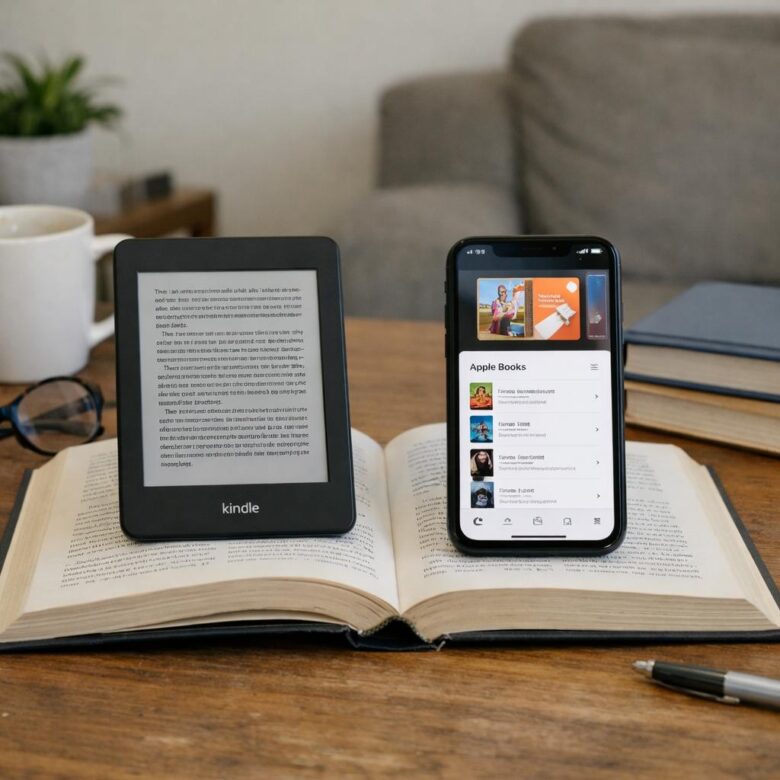
Kindle and Apple Books both promise a smooth daily reading experience, but they serve very different kinds of readers. One is built around the world’s largest ebook store and dedicated e-readers; the other shines inside Apple’s polished ecosystem.
If you read every day, the better choice comes down to more than design. Library size, pricing, highlights, syncing, audiobooks, device support, and long-term convenience all matter.
This comparison breaks down Kindle vs Apple Books from a daily reader’s perspective, so you can choose the app that actually fits your habits-not just the one already on your device.
Kindle vs Apple Books: Core Differences in Library Access, Device Support, and Reading Experience
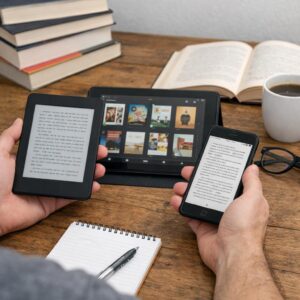
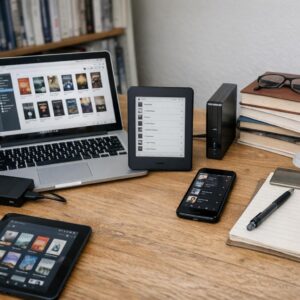
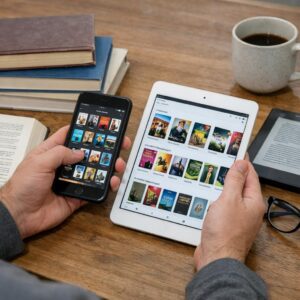
The biggest difference between Kindle and Apple Books is where your library can live. Amazon Kindle works across iPhone, iPad, Android, Kindle e-readers, Windows, Mac, and web browsers, which makes it safer if you switch devices often or share books across a family account. Apple Books is excellent inside the Apple ecosystem, but it is not a practical choice if you also use an Android phone, Windows laptop, or dedicated e-ink reader.
For daily readers, device support affects real costs. If you read before bed, a Kindle Paperwhite gives you a glare-free screen, long battery life, and fewer notifications than an iPad. But if you already own an iPhone and iPad, Apple Books offers a polished reading experience with smooth syncing, clean typography, PDF support, and easy purchases through your Apple ID.
- Best for cross-platform access: Kindle, especially for mixed-device households.
- Best for Apple-only users: Apple Books, particularly for iPad reading and PDFs.
- Best for large ebook catalogs: Kindle, thanks to Amazon’s store, Kindle Unlimited, and frequent ebook deals.
A real-world example: someone who reads novels on a Kindle at night, checks highlights on an iPhone during lunch, and uses a Windows PC for study notes will usually find Kindle more flexible. Apple Books feels more premium on Apple devices, but Kindle is the better long-term library platform if compatibility, ebook availability, and device freedom matter.
How Daily Readers Should Compare Syncing, Notes, Audiobooks, and Offline Reading Features
For daily reading, the best app is usually the one that removes friction across your devices. Kindle is stronger if you switch between a Kindle e-reader, iPhone, Android phone, tablet, or web browser because its cloud sync is more flexible. Apple Books feels smoother if you stay inside the Apple ecosystem and mainly read on an iPhone, iPad, or Mac.
Notes and highlights matter more than many readers expect, especially for students, professionals, and nonfiction readers. Kindle makes it easier to review highlights across devices and export notes for study or research workflows, while Apple Books keeps annotations clean and simple inside iCloud. If you often capture quotes for work, book clubs, or online courses, Kindle usually gives you more practical control.
- Syncing: Choose Kindle for cross-platform reading; choose Apple Books for seamless iCloud syncing on Apple devices.
- Audiobooks: Kindle pairs naturally with Audible, which is useful if you alternate between reading and listening during commutes.
- Offline reading: Both support downloads, but Kindle is more reliable for travelers using dedicated e-readers with long battery life.
A real-world example: if you read a business book at home on a Kindle Paperwhite, listen to the audiobook in the car, then check highlights on your laptop, Kindle and Audible offer a more connected setup. If you mostly buy books on an iPad and read before bed, Apple Books is simpler and avoids extra apps or subscription decisions.
Kindle or Apple Books for Long-Term Use: Ecosystem Lock-In, Book Ownership, and Cost Mistakes to Avoid
For long-term use, the biggest difference is not the reading interface-it is where your library gets trapped. Kindle works across iPhone, iPad, Android, Mac, Windows, and Kindle e-readers, while Apple Books is best if you stay inside the Apple ecosystem. If you might switch from iPhone to Android later, Kindle is the safer choice.
Book ownership is another area where readers make expensive mistakes. In most cases, you are buying a license to read an ebook, not owning it like a printed book. That means DRM restrictions can limit sharing, exporting, or moving titles between platforms.
- Kindle: Better device flexibility, strong ebook deals, and support for Kindle Unlimited.
- Apple Books: Cleaner iOS experience, easy family sharing, and no separate Amazon account needed.
- Best habit: Download important purchases and keep receipts in your email for account recovery.
A real-world example: if you buy 80 business books on Apple Books and later move to a Kindle Paperwhite for better battery life and eye comfort, you cannot simply transfer that library. You may need to repurchase key titles, which turns a “cheap” ebook habit into a costly digital ownership problem.
To avoid overspending, compare prices before buying using Amazon Kindle Store, Apple Books, and your local library app such as Libby. Daily readers should also check subscription costs carefully-Kindle Unlimited can be good for genre fiction, but poor value if you mostly read major publishers, textbooks, or niche professional books.
Summary of Recommendations
The better choice depends on where and how you read. Kindle is the safer pick for daily readers who want the largest bookstore, strong cross-device support, and better access outside Apple’s ecosystem. Apple Books feels cleaner and more natural if you read mostly on iPhone, iPad, or Mac and prefer a polished, distraction-free experience.
- Choose Kindle for selection, flexibility, and long-term library portability.
- Choose Apple Books for design, simplicity, and seamless Apple integration.
For most serious daily readers, Kindle has the practical edge; for Apple-only readers, Apple Books may feel better every day.

Dr. Silas Vance is a Doctor of Education (EdD) and a digital literacy researcher focused on the evolution of modern reading. He explores the synergy between cognitive retention and digital interfaces, providing expert insights into the apps and tools that transform how we consume and master information in the digital age.