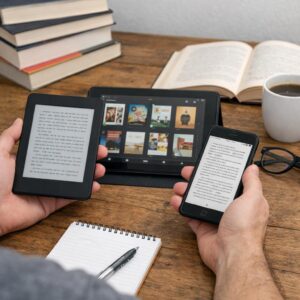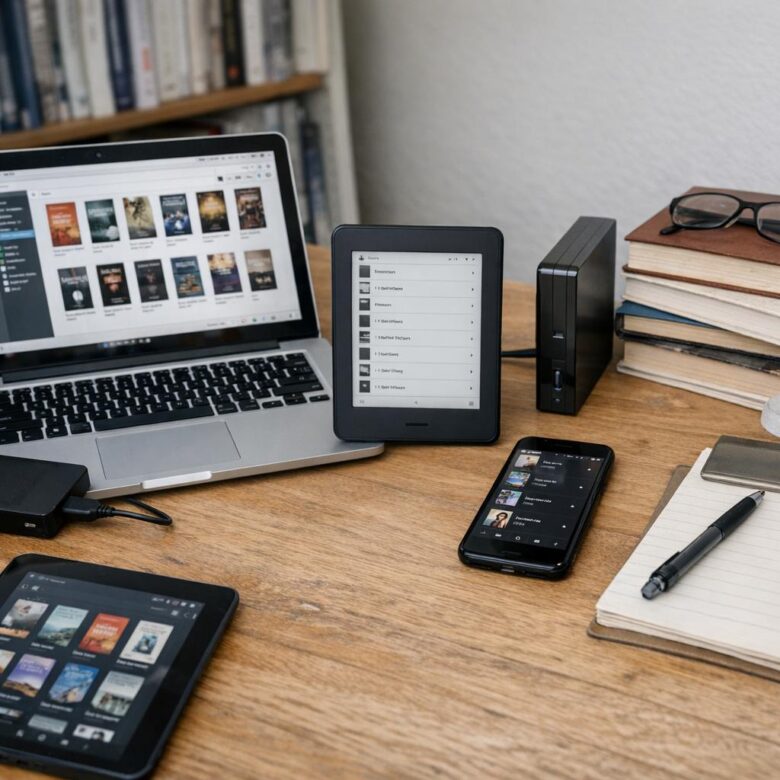
What’s the point of owning 2,000 digital books if you can’t find the one you need?
A growing ebook collection can quietly turn into a searchable mess: duplicate files, vague titles, missing covers, forgotten purchases, and reading apps that don’t talk to each other.
Organizing your digital library is not about making it look pretty-it’s about making every book easy to locate, trust, back up, and actually read.
This guide shows you how to build a practical system for naming files, managing metadata, sorting by purpose, syncing across devices, and keeping your collection under control long term.
Why Digital Book Organization Matters: Formats, Metadata, and Reading Goals
A digital library gets messy fast because ebooks are not all the same. One folder may contain EPUB novels, PDF textbooks, Kindle files, audiobooks, and downloaded research reports, each with different reading apps, storage needs, and device compatibility.
The real problem is usually not the number of books; it is poor metadata. If the author name, title, series order, tags, or publication date are wrong, even powerful ebook management software like Calibre will struggle to help you find what you need when you need it.
For example, I have seen users buy the same business book twice because one copy was saved as “download.pdf” in cloud storage while another was inside a Kindle library. A simple naming system and metadata cleanup would have prevented the duplicate purchase and saved time.
- Formats: Use EPUB for flexible reading, PDF for fixed-layout documents, and keep Kindle files organized by device or account.
- Metadata: Standardize author names, series numbers, categories, and tags before your collection grows.
- Reading goals: Separate “to read,” “reference,” “work,” and “archive” books so your library supports your habits.
This matters even more if you use multiple services such as Kindle, Kobo, Google Drive, Dropbox, or an audiobook subscription. Good organization reduces search time, protects purchases with better backup planning, and makes your digital book collection feel like a useful personal library instead of a pile of files.
How to Build a Searchable Digital Library with Folders, Tags, and Naming Rules
A searchable digital library starts with one simple rule: folders are for broad location, tags are for flexible discovery, and file names are for quick recognition. If you rely on folders alone, you will eventually create duplicates like “Business,” “Career,” and “Work,” which makes your ebook collection harder to manage across laptops, tablets, and cloud storage services.
Use a clean folder structure based on how you actually read. For example, a consultant might organize files as “Business & Finance,” “Technical Manuals,” “Client Research,” and “Personal Reading,” then use tags such as “tax,” “marketing,” “Python,” or “to-read” inside a tool like Calibre. This keeps your library useful even when one book fits several categories.
- Folder rule: keep categories broad and avoid more than two folder levels.
- Tag rule: use specific topics, reading status, and device needs such as “Kindle” or “PDF.”
- Naming rule: use “Author – Title – Year” for consistency.
A practical file name would be “Morgan Housel – The Psychology of Money – 2020.epub,” which is much easier to search than “moneybook-final.pdf.” For scanned books or research papers, use OCR-enabled PDF software such as Adobe Acrobat so the text inside the file becomes searchable, not just the title.
One real-world habit that helps: review new downloads once a week before they pile up. Add metadata, remove duplicates, and back up the folder to a cloud backup service like Google Drive, Dropbox, or OneDrive to protect your digital book collection from device failure.
Common Digital Book Collection Mistakes That Cause Lost Files, Duplicates, and Sync Problems
One of the biggest mistakes is storing ebooks in random places: a Downloads folder, an old Kindle directory, a cloud backup, and maybe an external drive. This makes it easy to lose paid books, especially when switching laptops or reinstalling apps like Calibre, Kindle for PC, or Adobe Digital Editions.
Another common issue is letting multiple apps manage the same library folder. For example, if Calibre organizes your EPUB files while Google Drive or Dropbox is syncing the same folder, a renamed file can create duplicate copies or “conflicted copy” versions. It looks harmless at first, but after a few months, you may have three versions of the same book with different metadata.
- No master library: Keep one main folder for your digital book collection, then back it up instead of copying files everywhere.
- Poor file naming: Use a consistent format like “Author – Title” so books remain searchable outside any app.
- Ignoring DRM limits: Some purchased ebooks from Amazon Kindle, Apple Books, or Kobo may not move cleanly between devices without the right account or reader software.
A practical approach is to separate your “library management” tool from your “backup service.” Let Calibre handle metadata, covers, and formats, then use a cloud storage service such as Google Drive, OneDrive, or Dropbox only for backup. This reduces sync errors, protects purchases, and makes device upgrades much less stressful.
Closing Recommendations
A well-organized digital library is less about perfection and more about retrieval. Choose a system you can maintain on your busiest weeks: clear file names, consistent folders, reliable metadata, and one trusted backup routine. If a tool or method adds friction, simplify it before your collection grows harder to manage.
The best decision is the one that matches how you actually read, search, and revisit books. Build around that habit, review your setup occasionally, and your digital collection will stay useful instead of becoming another place where good books disappear.
Dr. Silas Vance is a Doctor of Education (EdD) and a digital literacy researcher focused on the evolution of modern reading. He explores the synergy between cognitive retention and digital interfaces, providing expert insights into the apps and tools that transform how we consume and master information in the digital age.