Why pay for books when entire digital libraries are already in your pocket?
The best free digital library apps give you instant access to ebooks, audiobooks, classics, academic titles, and public-library collections-often without ads or subscription fees.
Whether you read on a phone, tablet, or laptop, the right app can help you borrow bestsellers, save offline books, sync progress, and discover new authors legally.
This guide highlights the top free digital library apps for reading books online, with practical options for casual readers, students, audiobook fans, and anyone building a zero-cost reading habit.
What Makes a Free Digital Library App Worth Using for Online Reading?
A good free digital library app should do more than display books on a screen. It needs a reliable catalog, smooth online reading, offline downloads, and compatibility with the devices people actually use, such as Android phones, iPhones, tablets, Chromebooks, and e-readers.
The biggest value comes from legal access to quality titles without hidden costs. For example, Libby lets users borrow ebooks and audiobooks from local libraries using a library card, which is ideal for readers who want bestsellers, business books, personal finance guides, or children’s books without paying for an ebook subscription service.
- Reading experience: Look for adjustable fonts, dark mode, bookmarks, highlights, and cloud sync across devices.
- Access options: Offline reading, audiobook support, and easy borrowing or download limits matter for daily use.
- Trust and safety: Choose apps with licensed content, clear privacy settings, and no aggressive pop-up ads.
In real use, the best app is often the one that fits your routine. A commuter may care more about audiobook playback and mobile data savings, while a student may need searchable text, citation-friendly notes, and access to academic books or public domain research materials.
Also check whether the app works well with your internet speed and storage space. A free app with a smaller but well-organized library can be more useful than a crowded platform that makes books hard to find or constantly pushes paid upgrades.
How to Compare Free eBook Apps by Catalog Size, Formats, and Reading Features
Start with catalog size, but do not judge an app by numbers alone. A free digital library app with millions of public domain books may be less useful than a smaller service connected to your local library card, such as Libby, if you want recent fiction, audiobooks, magazines, or school reading materials. In real use, the best choice often depends on what you read weekly, not which app has the biggest headline collection.
Next, check supported file formats before you invest time building a reading list. EPUB is the most flexible format for novels and nonfiction, while PDF is better for textbooks, research papers, manuals, and illustrated content; Kindle users should also consider compatibility with Amazon devices and cloud syncing. If you read across a phone, tablet, and e-reader, features like offline access, bookmarks, highlights, dictionary lookup, and adjustable fonts can matter more than a large catalog.
- Catalog access: Look for public domain books, library lending, academic collections, audiobooks, and children’s titles.
- Format support: Prioritize EPUB, PDF, audiobook playback, and device syncing if you switch between screens.
- Reading tools: Compare night mode, text resizing, notes, search, download limits, and accessibility options.
A practical test is to search for three books you actually want: one bestseller, one classic, and one niche topic such as personal finance or health insurance. If an app cannot find at least one of them in a usable format, its free library may not fit your needs. Also review borrowing limits, waitlists, and data usage, especially if you rely on mobile internet or read while traveling.
Common Mistakes to Avoid When Choosing Free Online Book Reading Apps
One common mistake is choosing an app only because it says “free.” Some free online book reading apps offer limited catalogs, aggressive ads, or push users toward paid subscriptions before they can access popular titles. Always check whether the app provides public domain books, library lending, or genuinely free ebooks before installing it.
Another issue is ignoring device compatibility and reading features. For example, Libby works well for users with a library card, but availability depends on your local library system and the ebooks it licenses. If you read on a Kindle, tablet, or budget Android phone, confirm support for offline reading, audiobook playback, font adjustment, and cloud sync.
- Skipping privacy checks: Review app permissions, especially if a reading app asks for contacts, location, or unnecessary storage access.
- Overlooking hidden costs: Some apps advertise free books but charge for premium plans, ad removal, or exclusive ebook collections.
- Ignoring content quality: A large digital library is not useful if books are poorly formatted, missing pages, or filled with scanning errors.
A practical approach is to compare apps based on your real reading habits. Students may benefit from apps with academic books and note-taking tools, while casual readers may prefer a clean interface, offline access, and low data usage. I’ve seen readers uninstall highly rated apps simply because the ads interrupted every chapter, so usability matters as much as catalog size.
Before committing, test one book from start to finish. This quickly reveals whether the app is comfortable for long reading sessions and whether the “free” experience is actually worth your time.
Expert Verdict on Best Free Digital Library Apps for Reading Books Online
The best free digital library app is the one that matches how you actually read. If you want public-library access, choose an app tied to your local library card. If you prefer classics, research, or open-access books, pick a platform with a broad public-domain catalog.
- For casual readers: prioritize ease of use and offline reading.
- For students: look for search tools, citations, and reliable archives.
- For audiobook fans: check borrowing limits and format support.
Start with one or two apps, test their catalog and reading experience, then keep the one that removes the most friction from your reading habit.
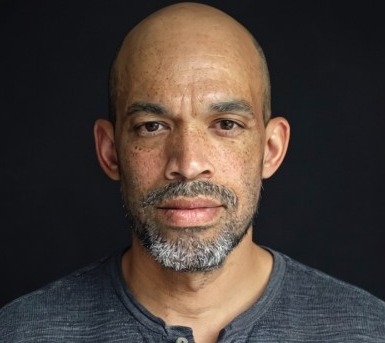
Dr. Silas Vance is a Doctor of Education (EdD) and a digital literacy researcher focused on the evolution of modern reading. He explores the synergy between cognitive retention and digital interfaces, providing expert insights into the apps and tools that transform how we consume and master information in the digital age.