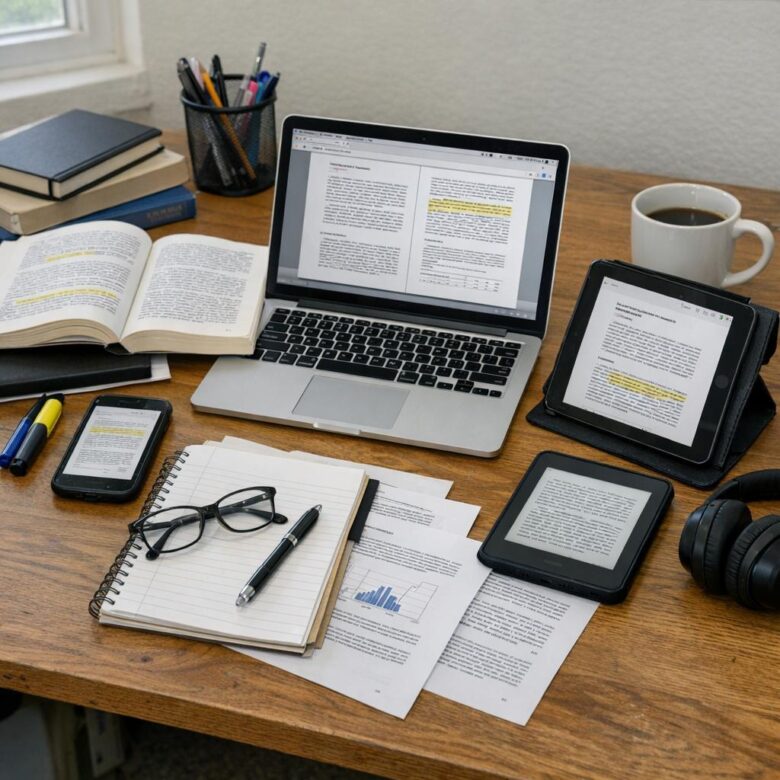
What if the real problem isn’t how much students read, but how poorly their tools help them think?
Books, PDFs, and research papers demand more than simple highlighting-they require focus, organization, citation control, and fast recall when deadlines hit.
The right reading tools can turn scattered notes into searchable knowledge, dense papers into manageable insights, and long study sessions into something far less chaotic.
This guide explores the best tools for students who need to read deeply, annotate efficiently, manage sources, and actually use what they learn.
What Students Need From Reading Tools for Books, PDFs, and Research Papers
Students do not just need a digital place to open files. They need reading tools that make textbooks, PDF lecture notes, academic journals, and research papers easier to search, annotate, organize, and review before exams. A good study app should reduce friction, especially when switching between a laptop, tablet, and phone.
For example, a student reading a 40-page journal article in Zotero may need to highlight key arguments, save the citation, attach notes, and find the same source later while writing an essay. That workflow is much more valuable than simply viewing a PDF, because it supports research management, citation tracking, and long-term study habits.
The most useful reading tools for students usually offer:
- Annotation and note-taking: highlights, comments, sticky notes, and exportable summaries for faster revision.
- Search and organization: folders, tags, OCR, and full-text search to find concepts inside books, scanned PDFs, and research papers.
- Sync and compatibility: cloud backup across devices, support for PDF, EPUB, and web articles, and integration with services like Google Drive or OneDrive.
Cost also matters. Many students start with free reading apps, but paid plans can be worth it if they include cloud storage, advanced PDF editing, citation tools, or AI reading assistance. The key is choosing software that matches the workload: casual textbook reading needs simplicity, while graduate research often demands stronger library management and reliable citation support.
How to Build an Efficient Study Workflow With PDF Readers, Annotation Apps, and Citation Managers
A good study workflow should move from reading to notes to citations without making you repeat the same task three times. Start by choosing one reliable PDF reader or annotation app, such as Adobe Acrobat, GoodNotes, or LiquidText, then connect it with a citation manager like Zotero or Mendeley. This setup saves time when working on essays, literature reviews, research papers, and thesis projects.
The most practical system is simple: store PDFs in cloud storage, annotate them on your laptop or tablet, then save citation details immediately. For example, a student reading journal articles on an iPad can highlight key arguments in GoodNotes, export the marked PDF to Google Drive, and add the source to Zotero for later bibliography formatting in APA, MLA, or Chicago style. That small habit prevents the common problem of losing the source after copying a useful quote.
- Read: Use a PDF reader with search, highlight, split-screen, and offline access.
- Organize: Create folders by subject, course, or assignment deadline.
- Cite: Add every source to a reference management tool before writing.
One real-world tip: do not chase too many productivity apps at once. Paid software and premium subscription plans can be useful, but the best study tools are the ones you use consistently across your devices. A clean workflow with one PDF annotation app, one cloud storage service, and one citation manager is usually faster, cheaper, and easier to maintain.
Common Mistakes to Avoid When Choosing Academic Reading and Research Tools
One common mistake is choosing a tool only because it looks popular, without checking whether it fits your actual study workflow. For example, a student who reads mostly scanned textbook chapters may need strong OCR, annotation, and cloud sync, while someone writing a thesis may benefit more from citation management in Zotero or Mendeley.
Another issue is ignoring long-term cost. Some academic reading apps offer free plans, but essential features like unlimited PDF storage, cross-device syncing, AI summarization, or export options may require a paid subscription. Before paying, compare the pricing, storage limits, supported file types, and whether the service works on your laptop, tablet, or e-reader.
- Do not rely only on AI summaries: They are useful for quick review, but they can miss context, methodology, or important arguments in research papers.
- Avoid tools with poor export options: If you cannot export notes, highlights, or citations, switching platforms later becomes painful.
- Check privacy and backup settings: Academic documents, unpublished drafts, and personal notes should not be stored in unreliable services.
A practical approach is to test two or three tools with the same PDF before committing. Open a journal article, highlight key points, add notes, create a citation, and check how easily everything syncs across devices. This small test often reveals more than reviews, especially if you study on both a phone and a laptop.
Final Thoughts on Best Tools for Students Who Read Books, PDFs, and Research Papers
The best tool is the one that removes friction from your study routine. If you mainly read PDFs and papers, choose software with strong annotation, search, and citation support. If you switch between books, articles, and notes, prioritize cross-device syncing and organization.
- For deep research: choose reference and PDF management features.
- For everyday studying: choose speed, simplicity, and reliable note-taking.
- For long-term learning: choose tools that help you review, connect, and reuse ideas.
Start with one or two tools, build a consistent workflow, and upgrade only when your reading demands it.

Dr. Silas Vance is a Doctor of Education (EdD) and a digital literacy researcher focused on the evolution of modern reading. He explores the synergy between cognitive retention and digital interfaces, providing expert insights into the apps and tools that transform how we consume and master information in the digital age.